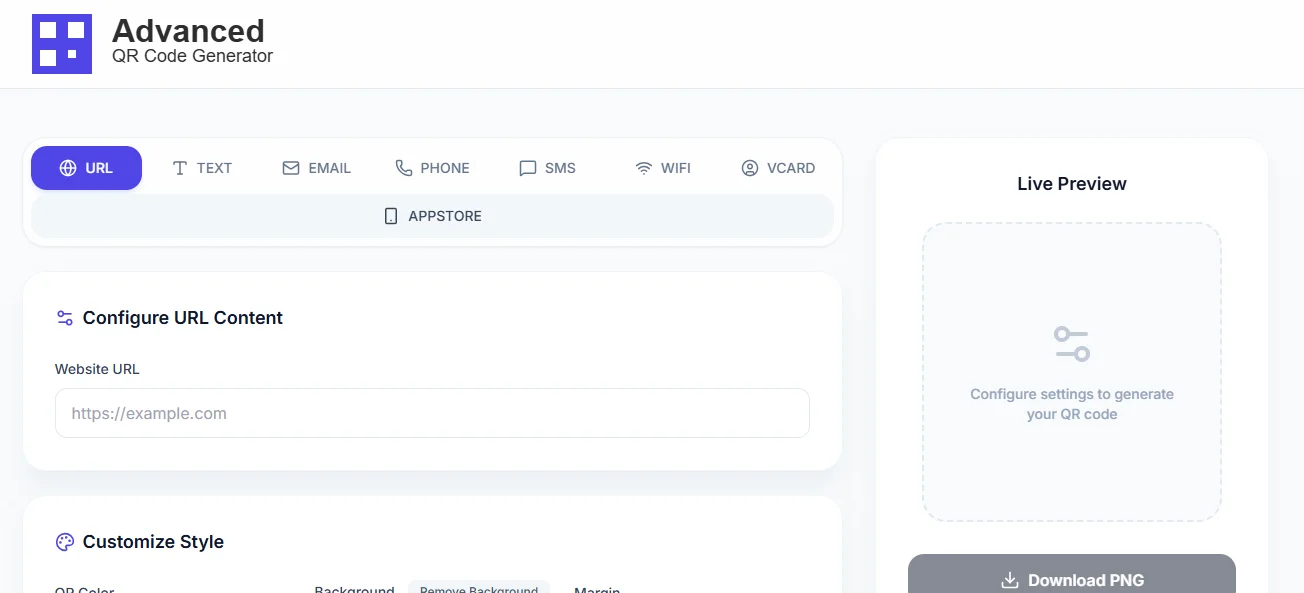
Create QR Codes Free
Tired of complicated QR code tools? I was too. That's why I built something better – a simple, free tool that just works.
Make My First QR Code →No email required. No hidden fees. Seriously.
QR Codes?
Honestly, I used to write off QR codes as just another tech fad. You know the feeling—spotting one on a flyer and wondering if anyone ever actually bothered to scan it.
Fast forward to today, and they're practically unavoidable: on café menus, the back of business cards, even your snack packaging. And surprise—when they're implemented well, they’re incredibly handy.
The trouble is, most QR code creators seem built for robots, not real people. That frustration is exactly why I built Advanced QR Code Generator. It’s the simple, no-nonsense tool I was always looking for but could never find.
What Actually Matters in a QR Code Tool
1. It Actually Works (Every. Single. Time.)
There's nothing worse than printing 500 business cards with a QR code that doesn't scan properly. Our tool includes proper error correction so your codes work even if they get a little scuffed or printed slightly blurry.
2. No Sign-Up Nonsense
Why do many tools make you create an account just to generate a simple image? You wont find that here. Use it get your QR code, and move on with your day. Your inbox will thank you.
3. Customization
You can change colors to match your brand, adjust the size for different uses, and choose the right format. But we skip the 500 advanced settings you'll never use.
The "Free" Trap (And How to Avoid It)
You are probably seen free QR code generators that are not really free. They add watermarks , limit how many you can create, or make you pay for high-quality downloads.
With our tool, what you see is what you get:
- Truly unlimited – Make as many QR codes as you want. Yesterday, I made 37 just because I could.
- Zero watermarks – Your codes look clean and professional, not like you used a free tool.
- All the formats you need – PNG for web, SVG for designers, EPS for print shops.
- High-res exports – Perfect for business cards or billboards (if you're into that sort of thing).
- No sneaky tracking – Your QR codes work independently forever. No "phoning home" required.
Fun Fact: 92% of People
...only need the basic features that free tools provide. Dont pay for complexity you'll never use.
Lets Make Your First QR Code
Heres exactly how to create a perfect QR code in about 60 seconds:
- Pick what you want to share – Website link? Contact info? WiFi password? We handle it all.
- Type or paste your content – Just like you would in a text message.
- Make it pretty (optional) – Change colors if you're feeling fancy.
- Click "Generate" and download – Seriously, that's it.
- Test it on your phone – Always do this before printing 5,000 copies.
Try it right now on Advanced QR Code Generator. I'll wait...
Pro Tip
QR code test with at least three different mobiles before printing anything. Try scanning different angles, and with part of the code covered. Best generators create codes that scan reliably not just perfectly.
Where to Actually Use These Things
For Your Business
Business cards that link to your portfolio work, brochures with special offers, or posters that lead to booking pages. It's like magic
Restaurants
Digital menus (bye-bye, printed menus every season), product stories, or loyalty programs. Your customers are already on their phones anyway.
Events & Parties
Wedding details that don't fit on invitations, event schedules, photo sharing links, or digital guest books. So much better than paper.
Around the House
WiFi passwords for guests no more spelling p@ssw0rd!, emergency contact info on the fridge, or scavenger hunts for kids.
Most Common Mistakes
Learning from my own fails so you dont have to:
- Linking to desktop-only sites – Always check on your phone first. Seriously.
- Making the code too tiny – If you need a magnifying glass to see it, it's too small.
- Bad color choices – Light blue on white might look nice, but it won't scan well.
- Forgetting to tell people why to scan – "Scan for menu" works better than just a random QR code.
- Using a blurry image Pixelated codes are like no one understands what you are saying.
"I built this tool because I got tired of jumping through hoops just to create a simple QR code. Every other option was either too complicated, too expensive, or both. So I made something that just works. No fuss, no sign-ups, no hidden costs. Just QR codes when you need them."
Ready to Give It a Try?
Join thousands of people who've discovered that creating QR codes doesn't need to be complicated. It's actually pretty fun once you get the hang of it.
Make My QR Code Now →No email required • Unlimited QR codes • Actually free