Create Custom App Icons in Minutes — Free & Developer-Friendly
Design Android adaptive icons and iOS app icons that look perfect on every device. Upload your image, adjust colors and padding, then download ready-to-use assets for Android Studio and Xcode.
Legacy
Round
Full Bleed (Foreground)
Drag & drop your image here
orWhat Are Adaptive Icons?
A complete guide for Android and iOS developers
Adaptive icons are a modern approach to app icons that automatically adjust their shape to match a device's launcher settings. First introduced by Google with Android 8.0 (Oreo), they solve a long-standing problem: inconsistent icon shapes across different phone manufacturers.
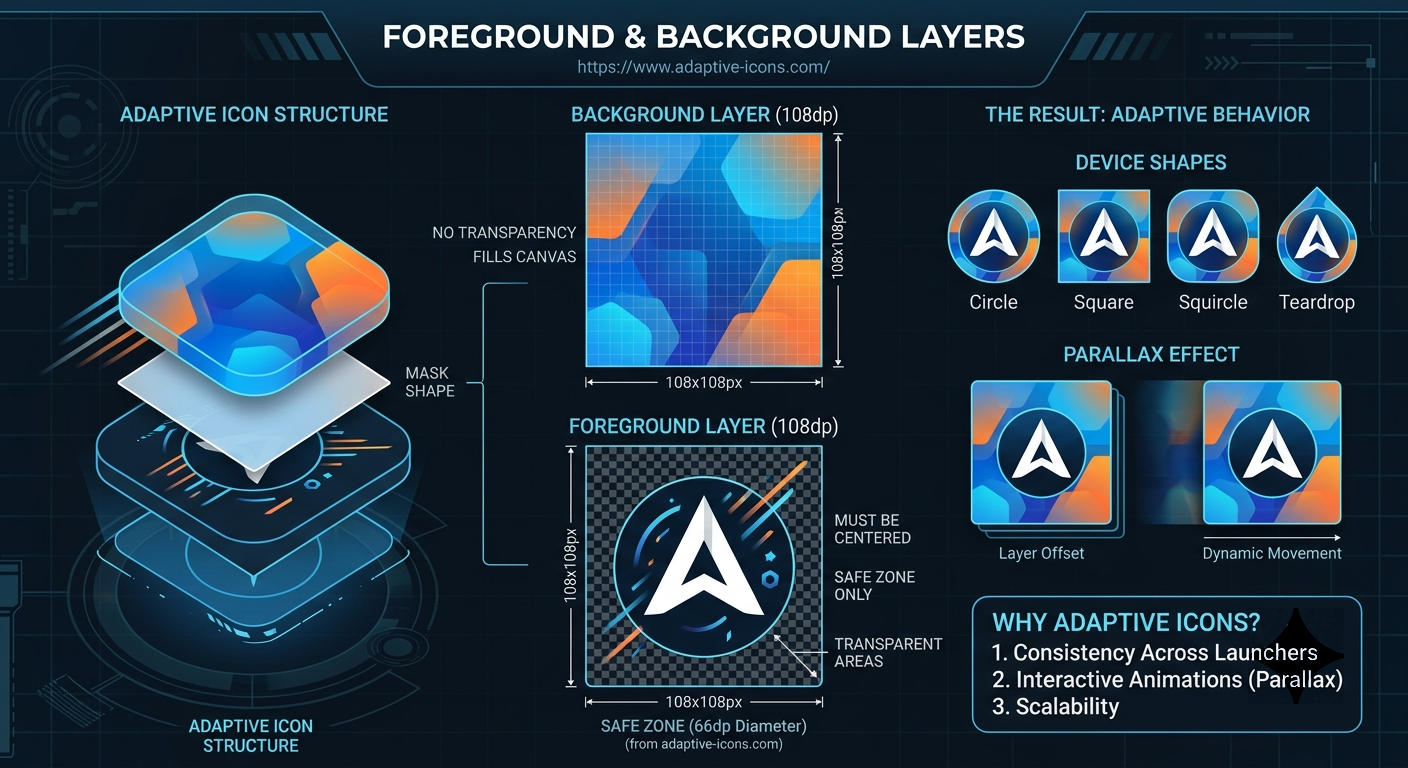
Before adaptive icons, developers had to create separate icons for Samsung, Pixel, LG, and other devices. Now, you design two layers (foreground and background), and the system masks them into the correct shape — whether that's a circle, squircle, rounded square, or teardrop.
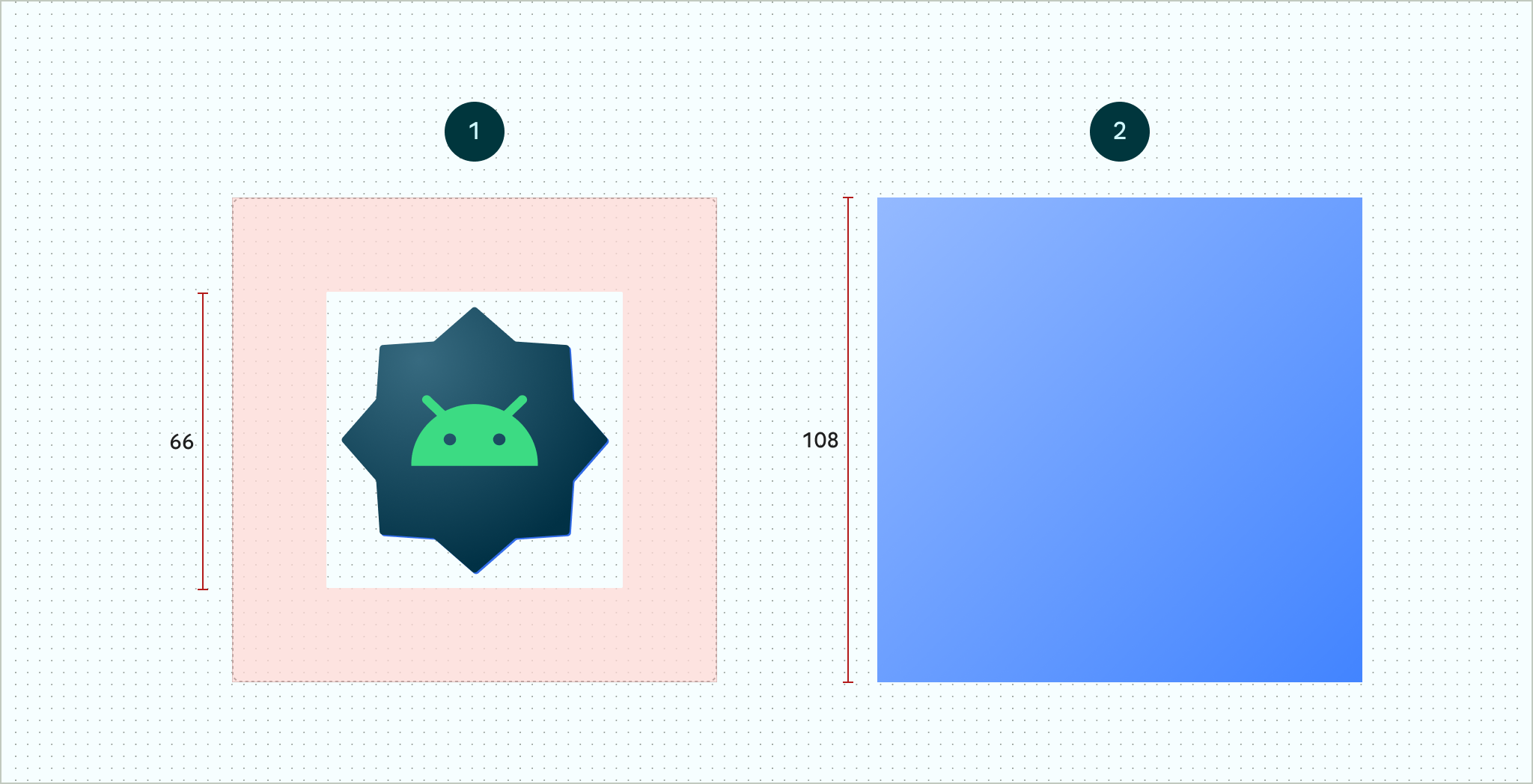
Key concept: The background layer is 108×108 dp and fully opaque. The foreground layer sits on top and can have transparency for animations and parallax effects. The safe zone (66×66 dp) ensures no critical content gets clipped.
Why We Built This Tool
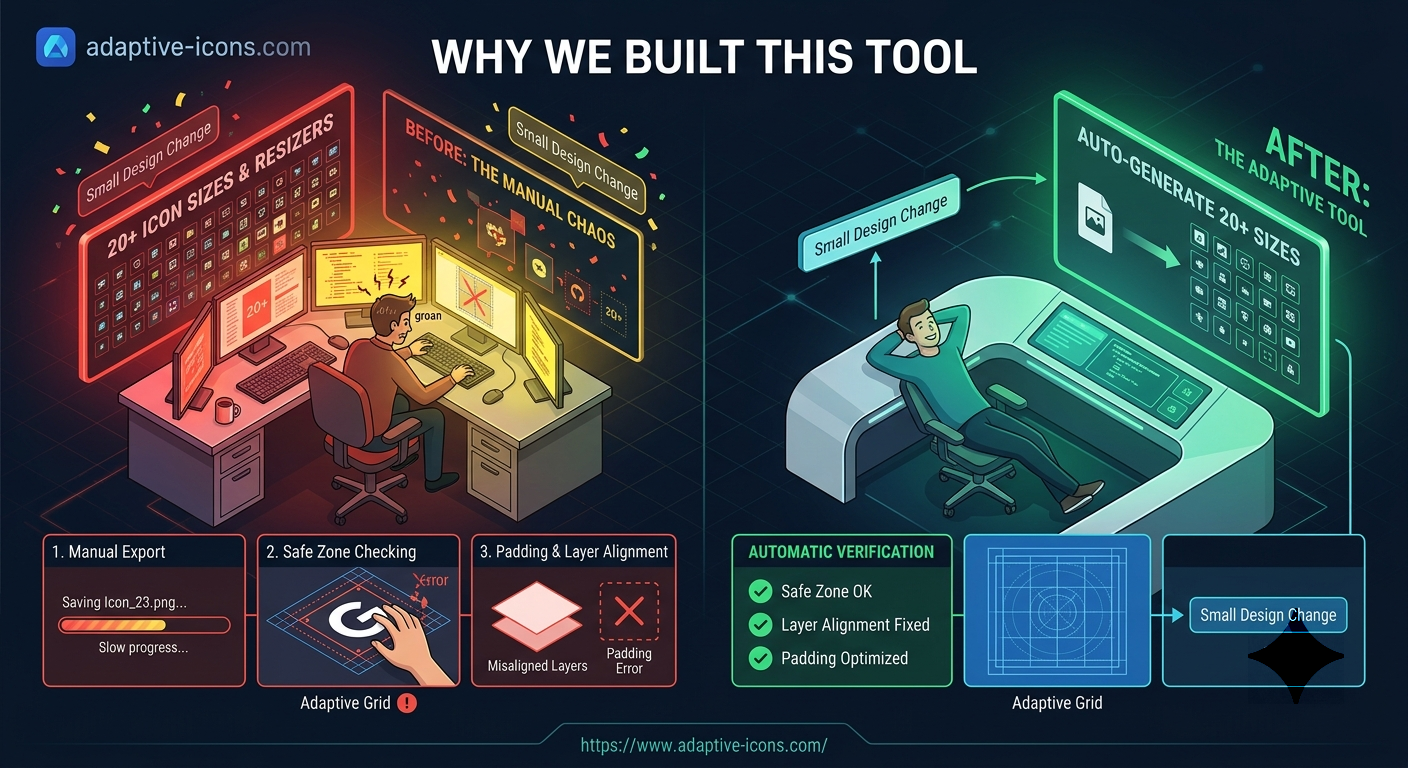
As independent developers ourselves, we got tired of manually exporting 20+ icon sizes every time we made a small design change. Photoshop actions helped, but we still had to check safe zones, padding, and layer alignment.
One upload, all sizes — generate legacy, round, and full-bleed variants instantly
Automatic safe zone enforcement — no more clipped elements
Android + iOS support — download all required densities and sizes
Our generator follows Google's official Material Design guidelines and Apple's Human Interface specifications. No design experience required.
Core Features
Everything you need in one place
📐 Multiple Icon Shapes
Generate Legacy (square with rounded corners), Round (circular), and Full Bleed (foreground-only) variants. Each follows platform-specific requirements.
📱 Platform-Specific Sizes
Android: All densities from ldpi (36×36) to xxxhdpi (192×192). iOS: iPhone, iPad, Settings, Spotlight, and App Store sizes included.
🎨 Real-Time Preview
See your icon on iPhone and Samsung device mockups as you adjust color, padding, and shape. What you see is what you download.
🖌️ Custom Background Color
Pick any color for your background layer using our color picker. Works with transparent foreground elements for dynamic effects.
📦 WebP Export Option
Save up to 30% file size without quality loss by downloading your icons as WebP instead of PNG.
🔧 Adjustable Padding
Fine-tune your foreground position with a slider from -100% to +100%. Perfect for aligning off-center designs.
Technical Specifications
What every developer should know
Safe Zone Guidelines
The critical visual elements of your icon should stay within a 66×66 dp circle in the center. This ensures nothing gets clipped regardless of the device's mask shape (circle, squircle, or rounded square).
Layer Specifications
- Canvas size: 108 × 108 dp
- Background: Fully opaque, fills entire canvas
- Foreground: Can have transparency, supports animations
- Keyline shapes: Circle (52dp), Square (44dp), Rectangle (52×36dp)
Parallax & Animations
When users move their phone or swipe across the home screen, the foreground and background can shift at different speeds. This creates a subtle 3D depth effect. Our generator preserves layer separation so your developer can implement these effects later.
Dark Mode & Theming
Android 13+ supports themed icons that tint your app icon to match the user's wallpaper or system theme. Use a transparent foreground and simple background shape for best results with themed icons.
Frequently Asked Questions
Answers from our development team
What file formats does the generator produce?
You can download your icons as PNG (default) or WebP (smaller file size). Each icon is exported at exactly the dimensions specified in the table (e.g., 48×48 for Android mdpi).
How do I implement these icons in Android Studio?
Download the icons, then replace the existing files in res/mipmap-[density]/ic_launcher.png. For adaptive icons, place the foreground in res/drawable/ic_launcher_foreground.xml (or use your PNG as a bitmap drawable) and define the background color in res/values/colors.xml.
What's the difference between Legacy, Round, and Full Bleed?
- Legacy: Square with rounded corners (looks like older Android icons)
- Round: Perfect circle mask (used on Pixels and many launchers)
- Full Bleed: Foreground fills the entire canvas with no background layer (for custom launcher implementations)
Can I use this for iOS apps?
Yes. The iOS tab generates all required App Store and device sizes: iPhone (60pt @2x/@3x), iPad (76pt @2x), Settings, Spotlight, and Notifications. Download as PNG and drag them into Xcode's asset catalog.
Is this tool free? Any hidden limits?
Completely free. No watermarks, no file size limits, no account required. We believe developers shouldn't pay for basic icon generation tools.
What image formats can I upload?
Currently we support PNG uploads with transparency. We recommend uploading images with at least 512×512 pixels for best quality.
Frequently Asked Questions
Everything you need to know about our services
What services do you offer?
+We offer a comprehensive range of digital services including web development, mobile app development, UI/UX design, cloud solutions, and IT consulting. Our team specializes in creating scalable, secure, and high-performance solutions tailored to your business needs.
How long does a typical project take?
+Project timelines vary based on complexity and requirements. A simple website might take 2-4 weeks, while complex enterprise solutions could take 3-6 months. We provide detailed timelines during our initial consultation and keep you updated throughout the development process.
Do you provide ongoing support?
+Yes! We offer flexible maintenance and support packages to ensure your application runs smoothly after launch. This includes bug fixes, security updates, performance optimization, and technical support with guaranteed response times.
What is your pricing structure?
+We offer transparent pricing based on project scope and complexity. Options include fixed-price contracts for well-defined projects, hourly rates for ongoing work, and custom retainers for long-term partnerships. Contact us for a free, no-obligation quote.
Can you work with our existing team?
+Absolutely! We collaborate seamlessly with in-house teams, providing additional expertise and resources as needed. Whether you need full project management or specific technical support, we adapt to your workflow and communication preferences.
What technologies do you specialize in?
+Our tech stack includes React, Vue.js, Angular, Node.js, Python/Django, Laravel, Flutter, React Native, AWS, Azure, and more. We stay current with emerging technologies and choose the best tools for your specific project requirements.